

Complete programming solution for automotive applications
OBD, Bench and Boot programming
Also available in Master/Slave configuration
Programming tool
All In One
Multi Functional


Everything at your fingertips
MC3 is a complete hardware and software tool for reading and writing EEPROM and Micro/Flash memories via OBD, Boot and Bench modes. Select the vehicle manufacturer and follow the on-screen instructions: identification, reading and writing in a single click.
Universal
OBD
The connection is made through the vehicle’s diagnostic socket, without removing or opening the ECU. A simple, fast and non-invasive method.
Complete
Bench
The ECU is removed from the vehicle and connected directly through the connector pins. This method allows you to read and save a complete backup of the ECU without opening it.
Advanced
Boot
The ECU is opened to access the electronic board and the dedicated connection points directly. An advanced method designed for complete reading, writing and data recovery operations.
Secure
Checksum & CVN
An advanced check verifies file integrity, recalculates the checksum and correctly manages the CVN, ensuring precise, secure and reliable writing.
Multi Functional
MC3 combines advanced software and hardware to provide a wide range of functions. Choose the packages you need.

Restores the ABS control unit to its original condition. Connection is made directly via the pinout.

ADAS
Restores the ADAS control unit to its original condition. Connection is made directly via the pinout.

Cluster
Reading, writing and configuration of instrument cluster EEPROMs. Connection is made via the OBD socket or pinout.

ECU Bench
Allows engine ECUs to be read and written on the bench. The ECU must be removed and connected through its front connector.


Airbag
Restores the airbag control unit to its original condition. Connection is made directly via the pinout.

Body/BSI
Allows body computers and BSI units to be read and written via the OBD socket or pinout.

EPS
Allows you to read and set the correct status of the steering column. Connection is made via the OBD socket or pinout.
ECU OBD & Boot
The ECU package includes reading and writing engine ECUs in OBD and Boot modes.
Watch it in action
Durata 0:48
Kit MC3

MC3 – ECU programming tool
Main device for reading and writing supported ECUs
Briefcase
Hard case for transporting and protecting MC3 and its accessories
Bench/Boot cable
Allows ECUs to be read and written in Bench and Boot modes
OBD cable
Allows communication with the ECU through the vehicle’s OBD socket
MC3 power supply
Powers the MC3 device during bench operation
Power supply adapter
Complimentary item included for customers
ECU bench adapter
Interface for reading and writing specific ECUs on the bench
Fiat instrument cluster adapter
Allows compatible Fiat instrument clusters to be read and written
USB hub
Complimentary item included for customers
USB A–B cable
Connects the MC3 device to the computer for use with the dedicated software
Subscription
One-year licence included
Active
Licence
- Read/Write ECUs
- Automatic checksum
- Updates
- Technical support
Expired
Licence
- Read/Write ECUs
- Automatic checksum
- No new installations or PC changes
Active
Licence
- Read/Write ECUs
- Automatic checksum
- Updates
- Technical support
Expired
Licence
- Read/Write ECUs
- Automatic checksum
- No new installations or PC changes
Configure your MC3
What is MC3?
MC3 is a complete hardware and software tool for reading and writing EEPROM and Micro/Flash memories via OBD, Boot and Bench modes. It can also correct the checksum before writing.
Is MC3 a Master or Slave tool?
MC3 is a stand-alone tool and therefore operates as a Master. Slave tools can be purchased on request, allowing you to create your own network.
How does technical support work?
With an active licence, you can request assistance via support email or Live Chat for any hardware or software issue.
What happens when the licence expires?
Once the licence has expired, MC3 will continue to operate, but it will no longer receive updates and you will no longer be entitled to technical support.
What are the system requirements for MC3?
MC3 does not require any specific hardware specifications, but you must have Windows 10 or later, a stable internet connection and Windows Update enabled and fully up to date. If these requirements are not met, you may lose one licence activation in the event of software issues.
Are connection manuals available?
You can download technical manuals containing the connection diagrams directly from the software by clicking the “Pinout” button, or request them from technical support.
How many installations are allowed?
You can install the software on a maximum of two computers at the same time. If you require an additional installation, contact technical support to request a new activation.
What should I do if my MC3 is lost or stolen?
You must contact technical support immediately and file a police report for the loss or theft of the software and hardware, specifying its serial number.
Updates
The annual licence gives you access to updates, including new features and support for additional ECUs.

MC3 version 1.2.6.0
MC3 version 1.2.6.0
MC3 version 1.2.6.0
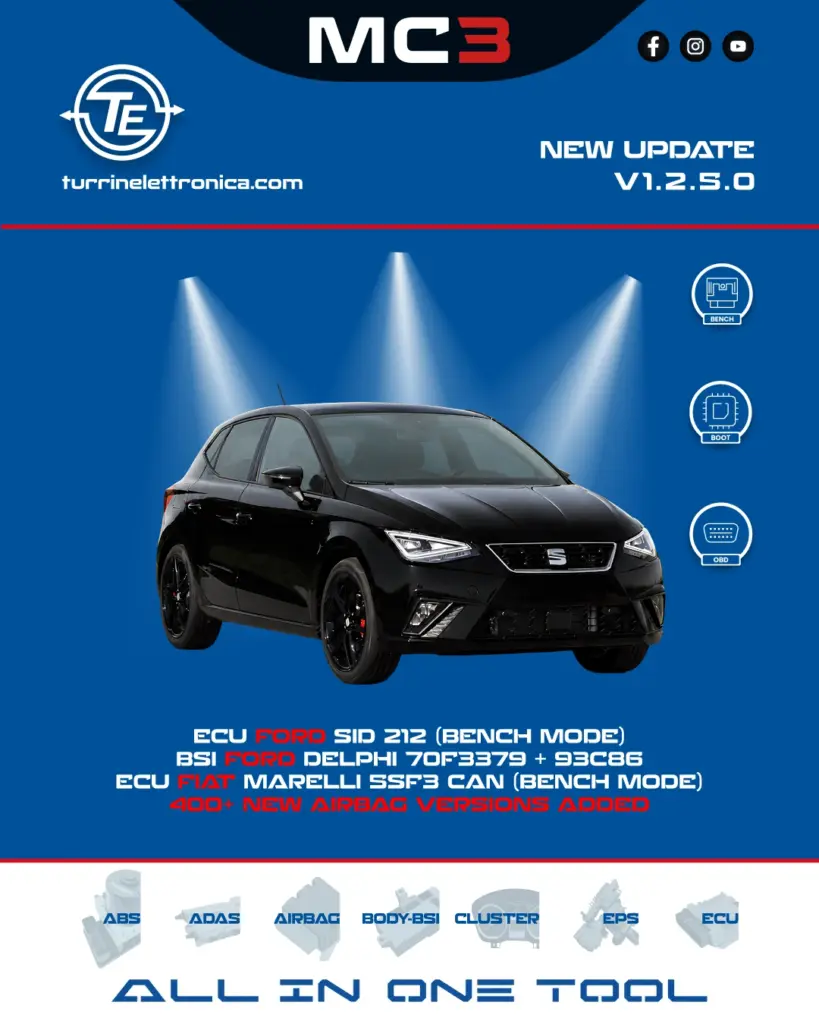
MC3 version 1.2.5.0
MC3 version 1.2.5.0
MC3 version 1.2.5.0

MC3 version 1.2.4.0
MC3 version 1.2.4.0
MC3 version 1.2.4.0

MC3 version 1.2.3.0
MC3 version 1.2.3.0
MC3 version 1.2.3.0

MC3 version 1.2.2.0
MC3 version 1.2.2.0
MC3 version 1.2.2.0

MC3 version 1.2.1.0
MC3 version 1.2.1.0
MC3 version 1.2.1.0

MC3 version 1.0.7.0
MC3 version 1.0.7.0
MC3 version 1.0.7.0

MC3 version 1.0.6.0
MC3 version 1.0.6.0
MC3 version 1.0.6.0

MC3 version 1.0.5.0
MC3 version 1.0.5.0
MC3 version 1.0.5.0

